

How to Prepare Artwork Files for Custom Rigid Box Printing
Preparing artwork files correctly is one of the most critical steps in producing high-quality custom rigid boxes. Even the most sophisticated printing equipment cannot compensate for improperly formatted design files, which is why professional preparation directly influences print clarity, color accuracy, structural alignment, and finishing precision. Brands investing in premium packaging must ensure that their artwork meets technical specifications before production begins, as this prevents delays, reduces revision costs, and guarantees consistent results across manufacturing batches.
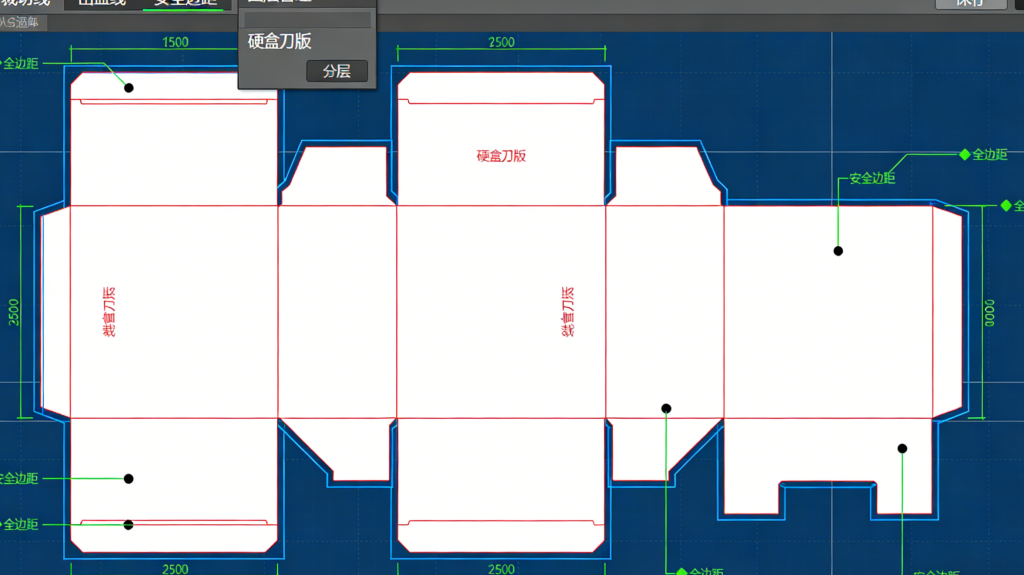
Rigid box printing differs significantly from standard paper printing because the artwork must align perfectly with wrapped surfaces, edges, corners, and folds. Since rigid boxes are constructed from thick chipboard wrapped with printed paper, designs must account for wrap allowances and edge turnovers. Artwork that looks perfectly aligned on a flat screen may shift once applied to a three-dimensional structure. For this reason, dieline templates provided by manufacturers should always be used as the base layer of the design file. These templates indicate cut lines, fold zones, glue areas, and safe zones, ensuring that logos, text, and graphics remain correctly positioned after assembly.
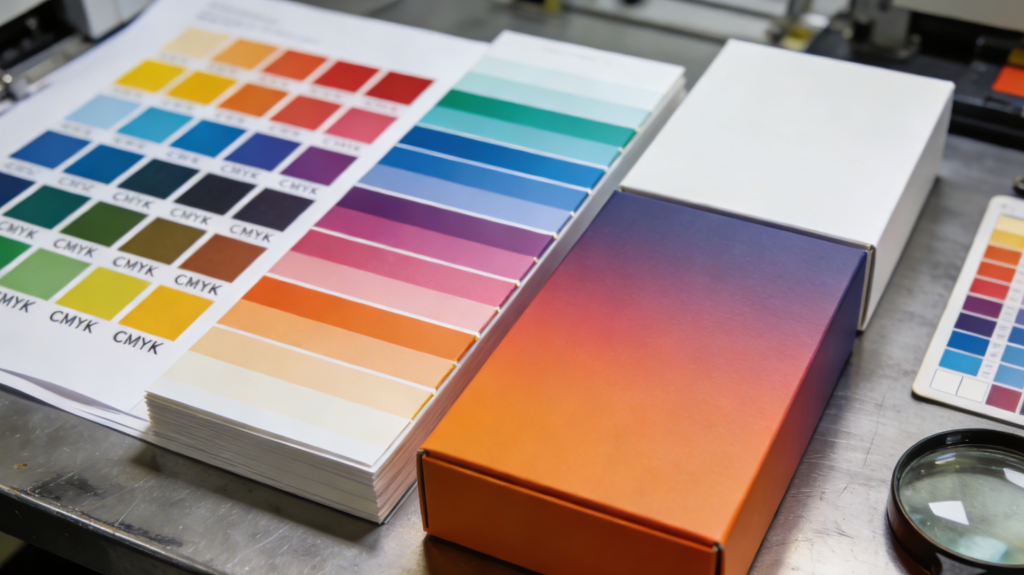
Color preparation is another essential factor. Files should always be created in CMYK color mode rather than RGB, because commercial printing presses rely on cyan, magenta, yellow, and black inks. RGB artwork often appears vibrant on screens but can shift noticeably when printed. Converting colors properly and using Pantone references when brand accuracy is required ensures that packaging maintains a consistent identity across different production runs. Resolution also plays a decisive role in output quality. Raster images should typically be at least 300 DPI at the final size to prevent pixelation or blurring, particularly for large, rigid boxes where graphics are viewed up close.
Typography handling is frequently overlooked but critically important. Fonts must be converted into outlines or embedded within the file to avoid substitution issues during prepress processing. Missing fonts can cause text misalignment or unexpected design changes. Likewise, thin lines and very small text should be avoided, as they may fill in or disappear during printing or finishing processes such as lamination and varnishing. Maintaining sufficient contrast between text and background enhances readability and ensures visual impact on retail shelves.
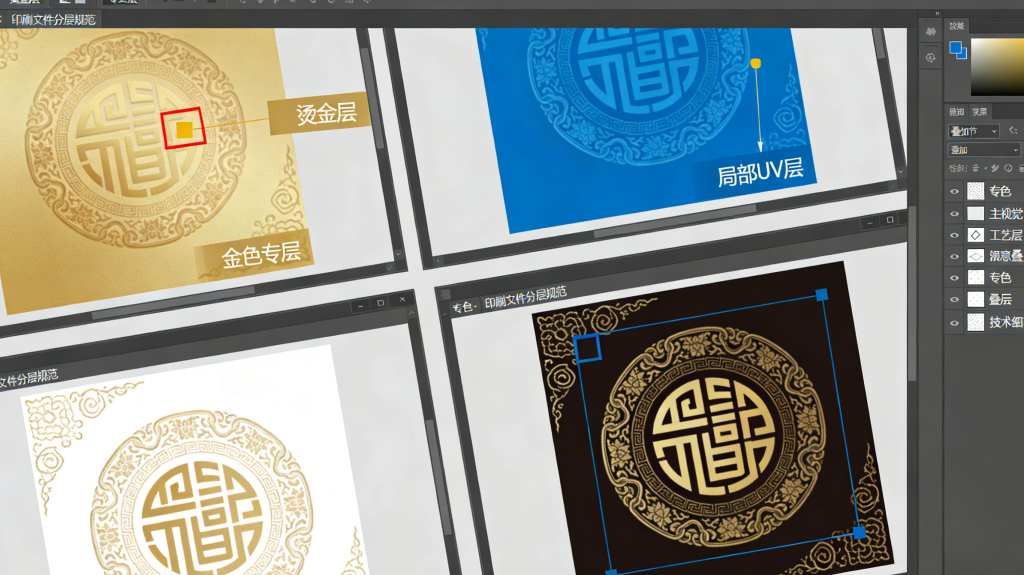
Special finishes require additional preparation layers. Effects such as foil stamping, embossing, debossing, and spot UV must be indicated using separate vector layers labeled clearly for production reference. These layers should use solid spot colors rather than gradients, as they serve as technical guides rather than printed elements. Accurate alignment between artwork and finishing layers ensures that decorative effects enhance the design instead of appearing misplaced. Proper file organization with clearly named layers simplifies communication between designers and packaging engineers, reducing the risk of errors during plate making and finishing setup.
Bleed and safety margins must also be carefully configured. Extending background artwork beyond cut lines prevents unwanted white edges after trimming, while keeping essential elements within safe zones ensures they are not cut off or folded over. This is particularly important for rigid boxes because wrapped edges conceal portions of the printed sheet. Designers should visualize how the flat artwork will wrap around the box structure and adjust layouts accordingly.
File format selection influences compatibility and print reliability. Vector-based formats such as AI or PDF are generally preferred because they preserve scalability and layer information. Flattened image files may be acceptable for simple designs, but layered vector files provide greater flexibility for adjustments during prepress review. Before submission, files should be checked for overprint settings, transparency effects, and linked images to confirm that all components are embedded and print-ready.
Professional artwork preparation ultimately bridges the gap between creative vision and physical packaging. When files are correctly structured, colors calibrated, and finishing layers clearly defined, the printing process becomes efficient and predictable. This level of preparation not only ensures visual excellence but also demonstrates professionalism and reliability to manufacturers. In the competitive packaging market, well-prepared artwork is not merely a technical requirement but a strategic advantage that allows brands to present products in packaging that reflects quality, precision, and attention to detail.